Home › Platforms › Chaturbate + Cam4
Stream to Chaturbate and Cam4 at once
Be live on both Chaturbate (CB) and Cam4 from a single OBS broadcast. Stream-Split splits your feed and sends it to both at the same time — no re-encoding a separate stream for each.
Go live on both — free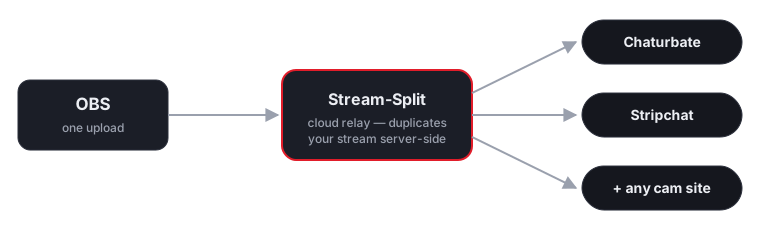
How it works
Broadcasting to Chaturbate and Cam4 at the same time usually requires running two heavy streams from your computer. By moving the heavy lifting to our cloud servers, you can reach both audiences with a single OBS feed. Your computer encodes one 5,000 kbps stream, and we duplicate it instantly.
Stream once from OBS
Point OBS at Stream-Split and hit Start Streaming.
Add both keys
Paste your Chaturbate and Cam4 stream keys into your dashboard.
Live on both
We deliver your broadcast to Chaturbate and Cam4 at once, at full quality.
Exact OBS settings for Chaturbate and Cam4 together
Each site publishes its own encoder limits, and they do not line up. You only get to send one broadcast, so the settings have to satisfy both at once. Here is what each site actually asks for at the highest resolution they share, and what that means for the single stream you send.
| Site | Shared resolution | Minimum bitrate | Published ceiling | Keyframe | Source |
|---|---|---|---|---|---|
| Chaturbate | 1080p | 5,000 kbps | 8,000 | 2s | Chaturbate docs |
| Cam4 | 1080p | 4,000 kbps | 4,000 | 1s | Cam4 docs |
These two disagree, and the answer is counter-intuitive. Cam4 publishes 4,000 kbps at 1080p, but Chaturbate treats 5,000 kbps as its minimum. Send 5,000. A site flags your feed as faulty when you come in below its floor; coming in above a published figure is accepted. Setting 4,000 to keep Cam4 happy is what makes Chaturbate mark the stream bad.
Cam4 publishes no 60fps tier — the whole broadcast drops to 30fps. Set OBS to 30fps.
Never upscale to reach a number. If your camera tops out below 1080p, send its native resolution — both sites accept a smaller frame, and neither accepts a soft, upscaled one. Stream-Split passes your feed through untouched, so what you set in OBS is what each site receives.
FAQ
- Can I stream to Chaturbate and Cam4 at the same time?
- Yes — that's exactly what Stream-Split does. One OBS broadcast goes live on Chaturbate and Cam4 (and any other site you add) simultaneously.
- Do I have to run two streams for Chaturbate and Cam4?
- No. Your PC uploads a single stream; we duplicate it to both Chaturbate and Cam4 in the cloud, so there's no extra CPU or bandwidth on your side.
- Is it free to stream to Chaturbate and Cam4 together?
- It's free to start, with a no-signup trial.
Prefer one site at a time?
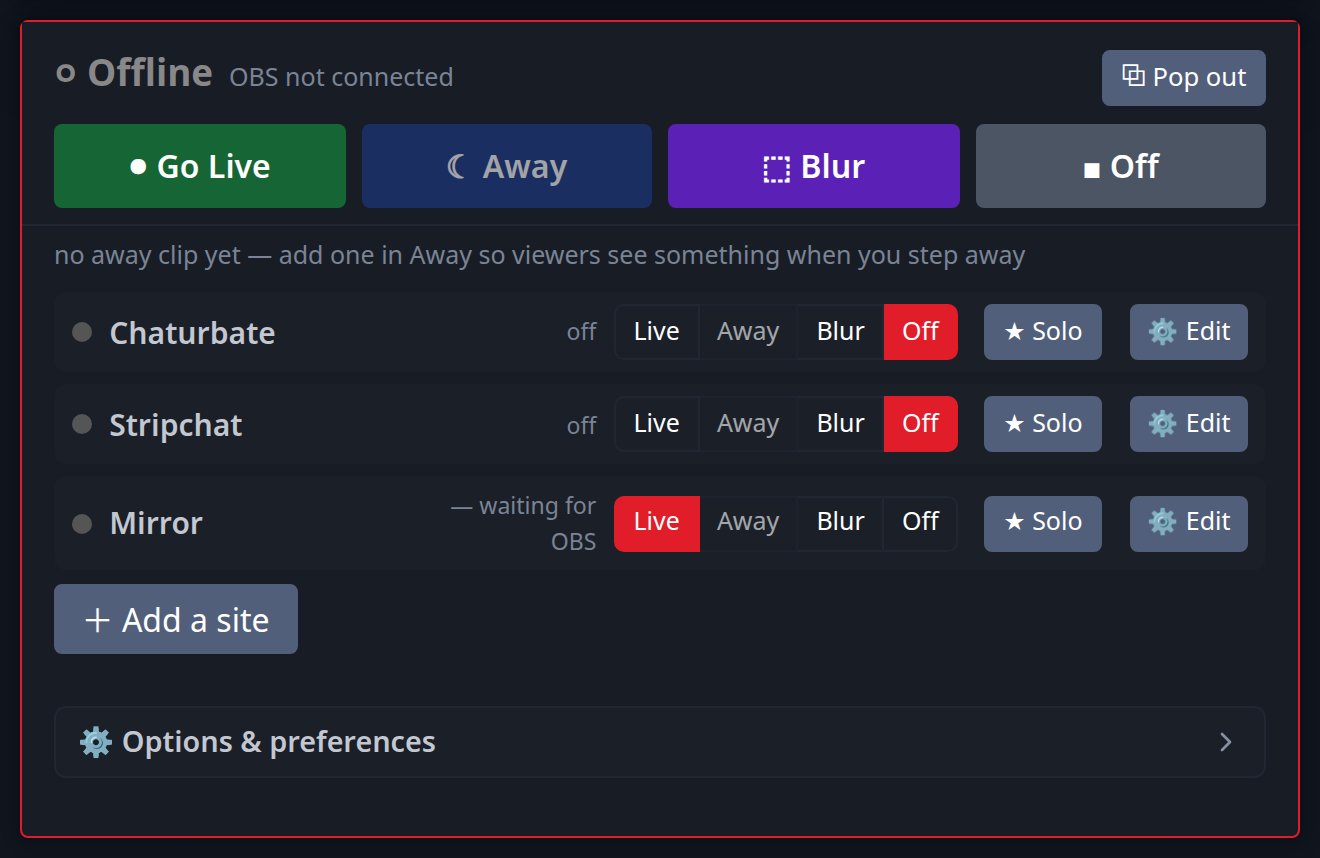
If you only want to focus on Chaturbate's public traffic or Cam4's specific audience on any given night, you do not need to change your OBS settings. Our dashboard gives you independent control over every connected platform. You can click any site to 'Off' while keeping the other completely live, or use the 'Away' button to loop a holding video for one audience while you perform a private show for the other. See the dedicated multistreaming guide for each:
Or read cam splitting: how to stream to different cam sites at once.