Home › Platforms › Chaturbate + MyFreeCams
Stream to Chaturbate and MyFreeCams at once
One OBS stream, live on Chaturbate and MyFreeCams together through Stream-Split. The two sites ask for slightly different numbers and handle their keys differently; here's what that means for you.
Start freeAdd both sites
In your Stream-Split dashboard, add each with + Add a site and paste its key:
- Chaturbate: your broadcast token, from View RTMP/OBS broadcast information and stream key on your broadcast page. Steps: Chaturbate OBS setup.
- MyFreeCams: your stream key, from Options → External Broadcaster → Stream Key & URL in the Model Web Broadcaster. Steps: MyFreeCams OBS setup.
No server addresses to copy from either site. OBS is set up once with your Stream-Split details and never sees the Chaturbate or MFC key.
MFC suggests 4,500 kbps, Chaturbate needs 5,000
The bitrate is where their numbers clash. MyFreeCams suggests 4,500 kbps at 1080p, but Chaturbate's floor at 1080p is 5,000 kbps, and it flags anything under that. Both sites receive the same stream, so send 5,000. Your dashboard's Set up OBS panel lands on the same number once both are added, with Chaturbate setting the floor.
The rest works on both. MFC asks for a 1-second keyframe, exactly our own setting. MFC recommends 30 fps and Chaturbate accepts it. MFC suggests 160 kbps audio, and Chaturbate takes up to 192. On a weaker connection, use 720p at 3,000 kbps: that's MFC's 720p suggestion and Chaturbate's 720p minimum. Everything else: OBS settings for cam streaming.
Where the two sites differ
| Chaturbate | MyFreeCams | |
|---|---|---|
| Key is called | Broadcast token | Stream Key |
| Key changes when | You click Generate New Token | Your MFC password changes |
| Bitrate at 1080p | 5,000-8,000 kbps (5,000 minimum) | 4,500 kbps suggested |
| Frame rate | 24-30, or 48-60 | 30 recommended |
| Keyframe they publish | 2-5 s suggested | 1 s |
| Audio | Up to 192 kbps | 160 kbps |
| Switch to OBS once | Use external software (OBS) | External Broadcaster, in ModelWeb Options |
When one site drops and the other doesn't
Because each site's key changes for different reasons, one site can stop while the other carries on. If MyFreeCams stops after you've changed your MFC password, its key has changed: copy the new one from Stream Key & URL, click ⚙ Edit on the MyFreeCams row and paste it. If Chaturbate stops after someone clicked Generate New Token, do the same on the Chaturbate row. The other site carries on unaffected.
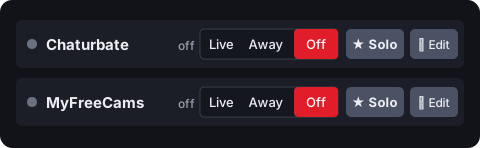
Privates: MFC lets you stay on OBS for private, group and club shows. When a private starts on either site, ★ Solo on its row keeps that site live and moves the other to Away or Off; afterwards, Go Live brings both back.
Questions
- Should I send MFC its suggested 4,500 kbps?
- Not while you're also on Chaturbate. Both get the same stream, and below 5,000 kbps at 1080p Chaturbate flags it. Send 5,000.
- Which audio bitrate suits both sites?
- 160 kbps. It's what MFC suggests, and Chaturbate takes up to 192.
- Is my Chaturbate room live as soon as I start?
- It is whenever a stream reaches Chaturbate. With When I start in OBS: Go live everywhere, that's the moment OBS connects; choose Keep all off if you'd rather go live yourself. Away still keeps the room live, showing your away clip; Off sends nothing.