Multistream OBS to MyFreeCams (MFC)
MyFreeCams (MFC) is one of the longest-running token-based cam sites — female-only, with an established US audience. Stream-Split keeps your MFC broadcast live while you simultaneously go live everywhere else, from a single OBS stream.
Start streaming to MyFreeCams — freeJust tell me what to set
Set your OBS Output Mode to Advanced, then type in these numbers. They are the settings MyFreeCams publishes, so you are not guessing.
- Output Resolution: 1920x1080
- FPS: 30
- Rate Control: CBR
- Video Bitrate: 4500 kbps
- Keyframe Interval: 1 second
- Audio Bitrate: 160 kbps
- Profile: High
Streaming to other sites at the same time? Match the strictest one — the table below shows how MyFreeCams compares.
MyFreeCams settings by resolution
The encoder settings MyFreeCams documents for each resolution. Stay within these and Stream-Split sends your feed to MyFreeCams unchanged.
| Resolution | FPS | Video bitrate (kbps) | Audio (kbps) |
|---|---|---|---|
| 1280×720 | 30 | 3,000 | 160 |
| 1920×1080 | 30 | 4,500 | 160 |
| 1280×720 | 60 | 4,500 | 160 |
| 1920×1080 | 60 | 7,000 | 160 |
Get your MyFreeCams stream key
Your key lives in the Model Web Broadcaster, not in OBS.
- Open the Model Web Broadcaster (ModelWeb) and click Options, bottom-left.
- Select External Broadcaster, then click Stream Key & URL.
- Click Stream Key to copy it to your clipboard.
Worth knowing before it bites you: your MFC stream key is tied to your account password. If you change your password — or Model Support resets it for you — the key is regenerated and the one saved in OBS silently stops working. Copy the new one across any time your password changes.
Streaming to MyFreeCams from OBS
Three panels in OBS's Settings window. The numbers are in the table above.
- Settings → Stream. Open the Service dropdown, click Show All, and choose MyFreeCams. Paste your key into Stream Key. Leave Server as it is unless you actually hit problems.
- Settings → Output. Set Output Mode to Advanced so the keyframe interval box appears, then fill in the encoder, bitrate and keyframe values from the table above.
- Settings → Video. Set Base (Canvas) Resolution and Output (Scaled) Resolution to 1280x720, and Common FPS Values to 30.
MyFreeCams advises against 60fps and asks you not to attempt 1080p until 720p is broadcasting cleanly — 1080p wants 12+ Mbps upload and a machine with a discrete GPU. MFC hosts its own speed test at tests.myfreecams.com, which measures to their servers rather than your nearest city, so it is the number that matters here. Read the upload figure, not the bigger download one — and treat it as a ceiling, not a target: if you only just clear the number for a resolution, drop to the one below.
How to multistream MyFreeCams + other sites
Point OBS at Stream-Split
Add our server and stream key in OBS and hit Start Streaming — the same workflow you already use for MyFreeCams.
Add your MyFreeCams key
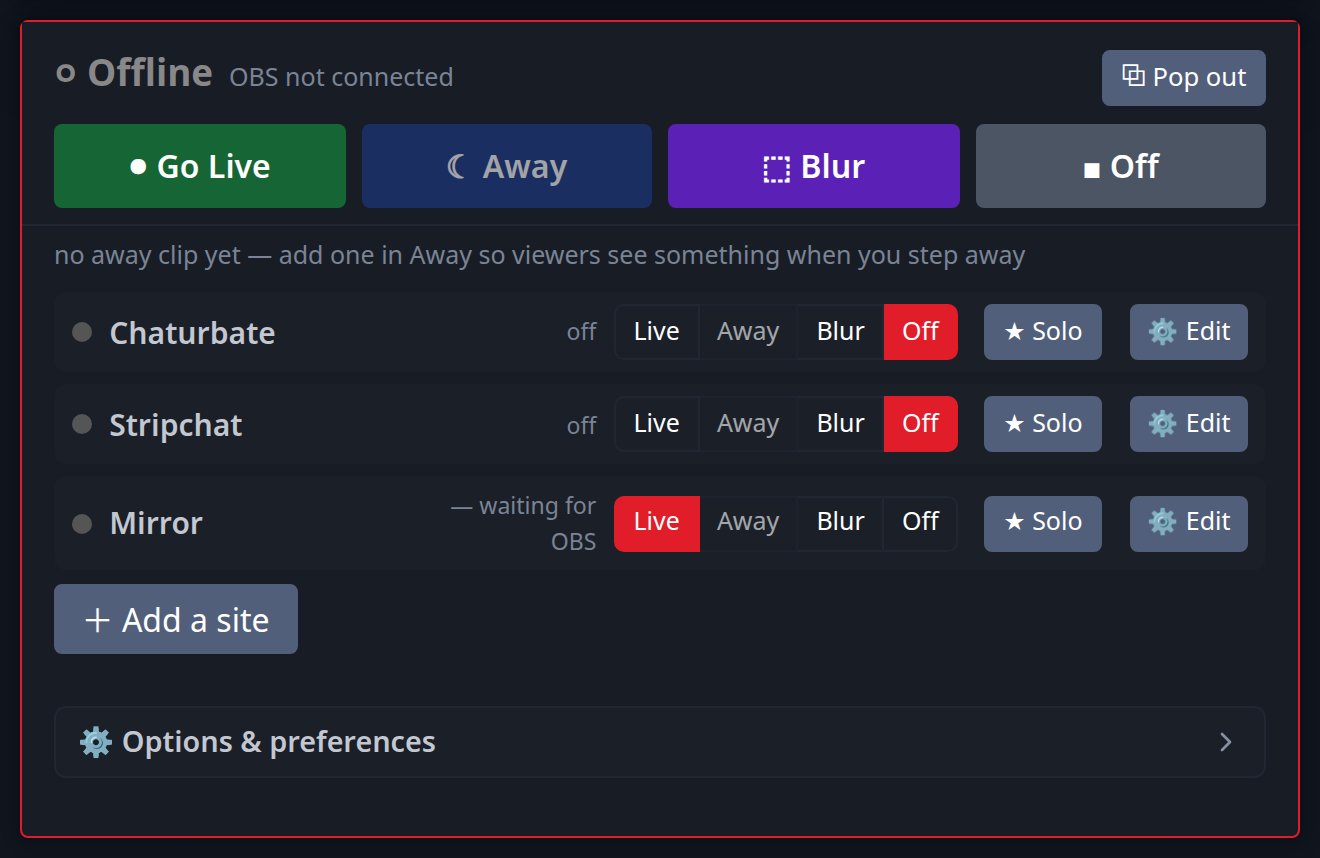
Paste your MyFreeCams stream key (and any other sites) into your dashboard. Switch each to Live, Away or Off with a click.
Live everywhere at once
Your broadcast reaches MyFreeCams and all your other platforms simultaneously — full quality, no extra CPU.
Why broadcast MFC through Stream-Split
If MFC is your home base but you also work other sites, encoding a separate video stream for each platform locally places a heavy tax on your PC. It burns through your CPU cycles and maxes out your upload bandwidth, which often leads to dropped frames and lagging streams. Stream-Split changes the equation completely. By letting your machine encode and upload just once, it frees up your computer's resources so your interactive toys and alerts run smoothly. We then deliver a clean, untouched broadcast to MyFreeCams from the cloud, perfectly synchronised alongside every other platform you choose to broadcast on.
Adding a second site to MyFreeCams
MyFreeCams's own limits are only half the question once you broadcast somewhere else at the same time — you send one feed, so it has to satisfy both sites. Here is what to set for each pairing, worked out from what the two sites publish.
| MyFreeCams paired with | Send | Video bitrate | Keyframe / audio |
|---|---|---|---|
| + BongaCams | 1080p30 | 4,500 kbps | 1s / 160 kbps |
| + Cam4 | 1080p30 | 4,500 kbps conflict | 1s / 160 kbps |
| + CamSoda | 1080p30 | 4,500 kbps | 1s / 160 kbps |
| + Chaturbate | 1080p30 | 5,000 kbps conflict | 1s / 128 kbps |
| + OnlyFans | 1080p30 | 4,500 kbps | 1s / 160 kbps |
| + Stripchat | 1080p30 | 4,500 kbps | 1s / 128 kbps |
Rows marked conflict are the ones worth knowing about: the two sites publish figures that do not overlap, and the higher one wins. A site rejects a feed that arrives below its stated minimum, but accepts one above its stated maximum — so matching the lower number to keep one site happy is what makes the other flag your stream.
Full working: best OBS settings for cam streaming.
MyFreeCams multistreaming FAQ
- Can I stream to MyFreeCams and other cam sites at once?
- Yes — one OBS broadcast reaches MyFreeCams and every other site you add at the same time, with no extra upload from your computer.
- How do I use OBS with MyFreeCams?
- MyFreeCams provides an external-encoder server URL and stream key; put those in OBS, and add the key to Stream-Split to broadcast to your other platforms simultaneously.
- Does multistreaming affect my MFC quality?
- No. Your video arrives unchanged, so MFC receives the same quality as a direct OBS broadcast.
Multistream to other sites too
Add as many as you like alongside MyFreeCams:
New to this? Read cam splitting on different cam sites or the best OBS settings.