Home › Platforms › Stripchat + Cam4
Stream to Stripchat and Cam4 at once
Be live on both Stripchat (SC) and Cam4 from a single OBS broadcast. Stream-Split splits your feed and sends it to both at the same time — no re-encoding a separate stream for each.
Go live on both — free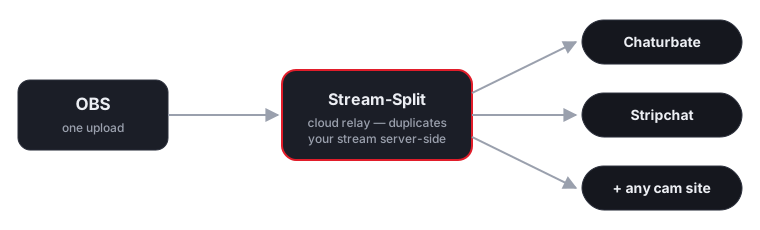
How it works
When combining a flexible platform like Stripchat with a stricter one like Cam4, managing separate streams locally creates unnecessary technical headaches. We simplify the entire process. You point your OBS software at our server with a single 4,000 kbps video feed, and our cloud infrastructure handles the distribution to both audiences simultaneously.
Stream once from OBS
Point OBS at Stream-Split and hit Start Streaming.
Add both keys
Paste your Stripchat and Cam4 stream keys into your dashboard.
Live on both
We deliver your broadcast to Stripchat and Cam4 at once, at full quality.
Exact OBS settings for Stripchat and Cam4 together
Each site publishes its own encoder limits, and they do not line up. You only get to send one broadcast, so the settings have to satisfy both at once. Here is what each site actually asks for at the highest resolution they share, and what that means for the single stream you send.
| Site | Shared resolution | Minimum bitrate | Published ceiling | Keyframe | Source |
|---|---|---|---|---|---|
| Stripchat | 1080p | 3,000 kbps | 6,000 | 2s | Stripchat docs |
| Cam4 | 1080p | 4,000 kbps | 4,000 | 1s | Cam4 docs |
Cam4 publishes no 60fps tier — the whole broadcast drops to 30fps. Set OBS to 30fps.
Never upscale to reach a number. If your camera tops out below 1080p, send its native resolution — both sites accept a smaller frame, and neither accepts a soft, upscaled one. Stream-Split passes your feed through untouched, so what you set in OBS is what each site receives.
FAQ
- Can I stream to Stripchat and Cam4 at the same time?
- Yes — that's exactly what Stream-Split does. One OBS broadcast goes live on Stripchat and Cam4 (and any other site you add) simultaneously.
- Do I have to run two streams for Stripchat and Cam4?
- No. Your PC uploads a single stream; we duplicate it to both Stripchat and Cam4 in the cloud, so there's no extra CPU or bandwidth on your side.
- Is it free to stream to Stripchat and Cam4 together?
- It's free to start, with a no-signup trial.
Prefer one site at a time?
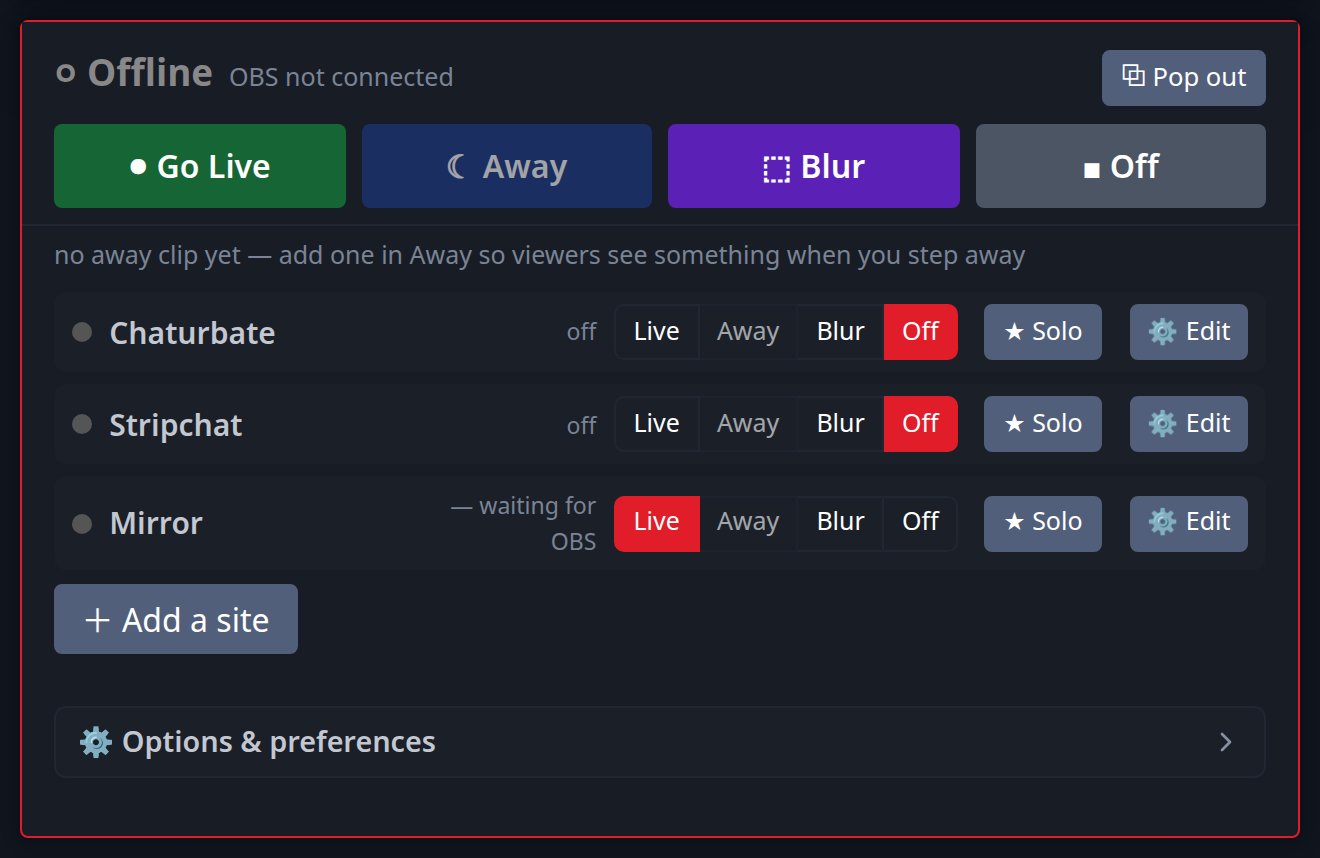
If you find that juggling the interactive features of Stripchat alongside the Cam4 chat room becomes too distracting, you can isolate them instantly. Our control panel lets you manage the live status of every platform independently. You can drop Cam4 offline to focus purely on your Stripchat token goals, or flip one site to a 'Be Right Back' video clip while you chat with the other audience. See the dedicated multistreaming guide for each:
Or read cam splitting: how to stream to different cam sites at once.