Multistream OBS to CamSoda
Already going live on CamSoda from OBS? Stream-Split sends that same single broadcast to CamSoda and every other cam site at once — your PC encodes and uploads just once.
Start streaming to CamSoda — freeJust tell me what to set
Set your OBS Output Mode to Advanced, then type in these numbers. They are the settings CamSoda publishes, so you are not guessing.
- Output Resolution: 1920x1080
- FPS: 30
- Rate Control: CBR
- Video Bitrate: 3000-6000 kbps
- Audio Bitrate: 160 kbps
Streaming to other sites at the same time? Match the strictest one — the table below shows how CamSoda compares.
CamSoda settings by resolution
The encoder settings CamSoda documents for each resolution. Stay within these and Stream-Split sends your feed to CamSoda unchanged.
| Resolution | FPS | Video bitrate (kbps) | Audio (kbps) |
|---|---|---|---|
| 854×480 | 30 | 500–2,000 | 160 |
| 1280×720 | 30 | 1,500–4,000 | 160 |
| 1920×1080 | 30 | 3,000–6,000 | 160 |
How to multistream to CamSoda
Point OBS at Stream-Split
Add our server and stream key in OBS and hit Start Streaming — the same workflow you already use for CamSoda.
Add your CamSoda key
Paste your CamSoda stream key (and any other sites) into your dashboard. Switch each to Live, Away or Off with a click.
We deliver everywhere
Your broadcast reaches CamSoda and all your other platforms simultaneously — full quality, no extra CPU or upload.
Why multistream CamSoda with Stream-Split
One upload, every site
Encode and upload once instead of a separate stream per platform — far less CPU and bandwidth.
Full quality on CamSoda
CamSoda receives your stream unchanged — same resolution and bitrate as OBS sends.
Per-site & away control
Keep CamSoda live while others play a discreet away clip, or flip any site on or off instantly.
CamSoda streaming requirements
Stream within these and Stream-Split sends your feed to CamSoda untouched — same quality as your single OBS broadcast.
Resolution
up to 1080p Full HD
Frame rate
up to 30 fps
Video bitrate
3,000–6,000 kbps
Keyframe
1 second
CamSoda accepts up to 1080p Full HD at 30fps, 3,000–6,000 kbps. Streaming to other sites too? Broadcast at a setting every site accepts — our OBS settings guide has the sweet spots.
Adding a second site to CamSoda
CamSoda's own limits are only half the question once you broadcast somewhere else at the same time — you send one feed, so it has to satisfy both sites. Here is what to set for each pairing, worked out from what the two sites publish.
| CamSoda paired with | Send | Video bitrate | Keyframe / audio |
|---|---|---|---|
| + BongaCams | 1080p30 | 4,000 kbps | 2s / 160 kbps |
| + Cam4 | 1080p30 | 4,000 kbps | 1s / 160 kbps |
| + Chaturbate | 1080p30 | 5,000 kbps | 2s / 128 kbps |
| + MyFreeCams | 1080p30 | 4,500 kbps | 1s / 160 kbps |
| + OnlyFans | 1080p30 | 3,000 kbps | 2s / 160 kbps |
| + Stripchat | 1080p30 | 3,000 kbps | 2s / 128 kbps |
Full working: best OBS settings for cam streaming.
CamSoda multistreaming FAQ
- Can I stream to CamSoda and other cam sites at the same time?
- Yes. Stream-Split takes one OBS broadcast and sends it to CamSoda plus every other platform you add, live at the same time — no extra upload from your computer.
- Will multistreaming to CamSoda lower my quality?
- No. We pass your feed to CamSoda exactly as OBS sends it — same resolution and bitrate as your single broadcast.
- Do I need extra software to multistream to CamSoda?
- No. You stream from OBS to our cloud and we distribute it — nothing to download or install.
- Is streaming to CamSoda with Stream-Split free?
- It's free to start, including a no-signup trial. Optional advanced features are available.
Multistream to other sites too
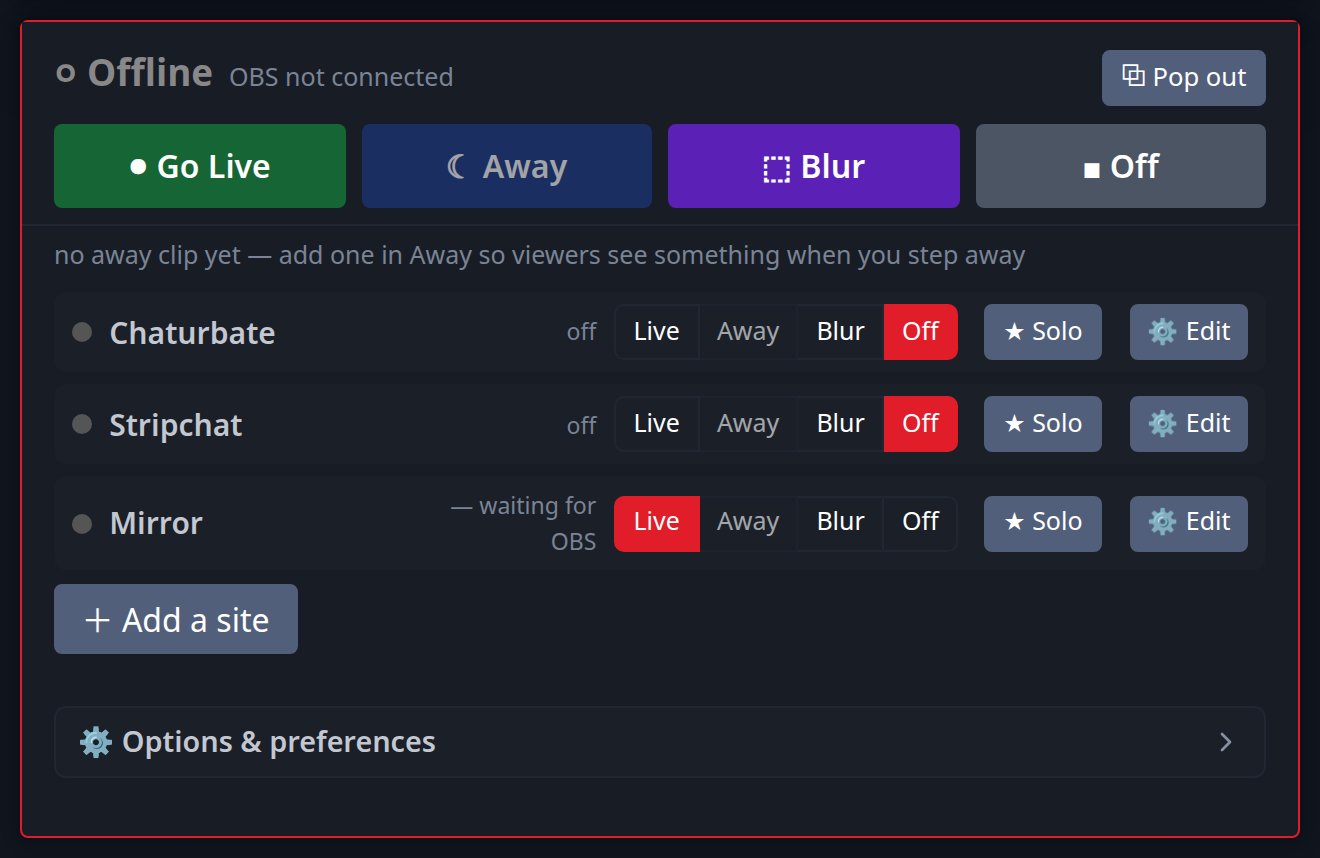
Add as many as you want alongside CamSoda:
New to this? Read cam splitting on different cam sites or the best OBS settings.